
In this article, you will learn how to allow individual questions and questionnaires to be repeated. This gives learners the opportunity to improve and think through tasks in greater detail.
Repeating individual questions
Both scored and trial questions can be repeated.
Proceed as follows:
- Select the question.
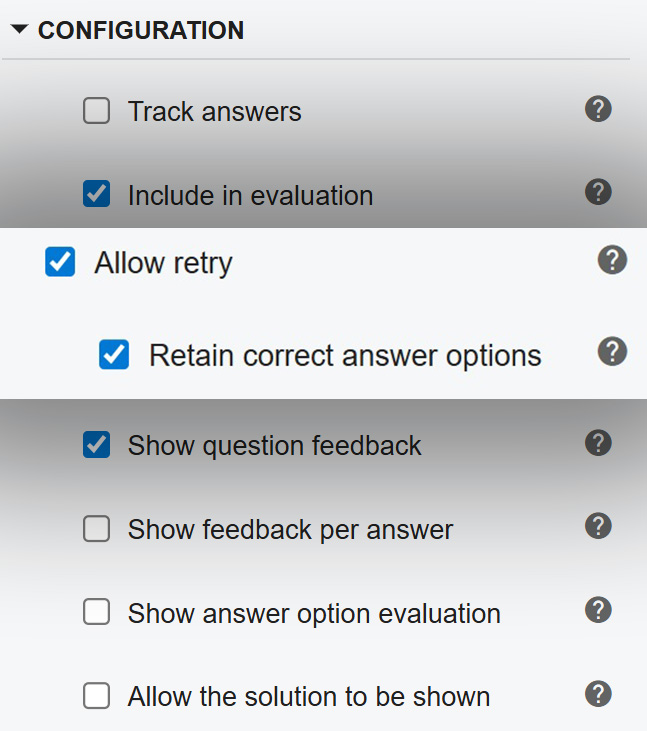
- Open the Configuration section on the right.
- Enable the Allow retry option. The Retain correct answer options setting applies to questions with multiple correct answers. Answers that have already been selected correctly remain marked in a subsequent attempt, so learners only need to add the missing answers.
After an incorrect answer, learners can immediately answer the question again using the Try Again button.
Repeating questionnaires
For questionnaires, you configure the retry setting once. It applies to all questions included in the questionnaire.
Proceed as follows:
- Select the questionnaire element.
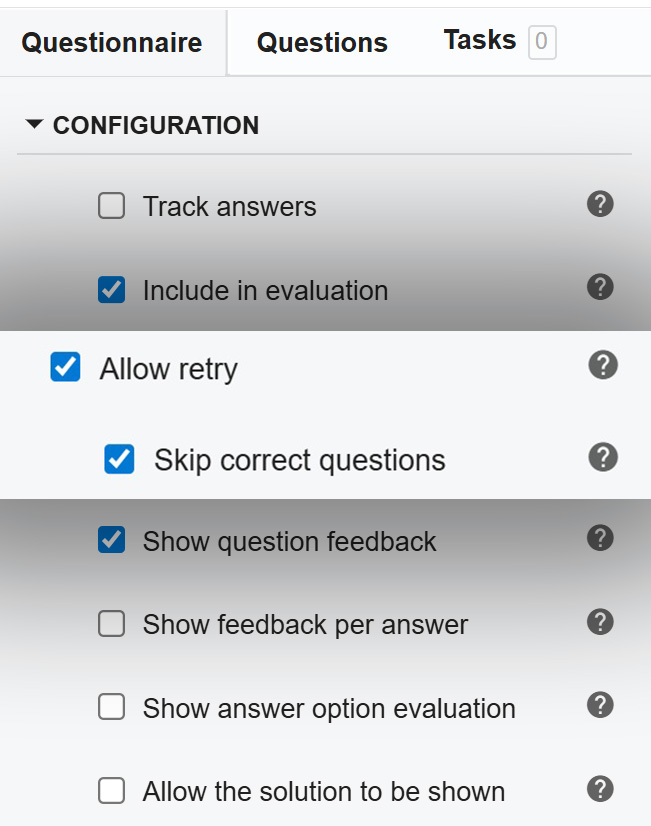
- Open the Questionnaire tab on the right and navigate to the Configuration section.
- Enable the Allow retry option. With the Skip correct questions option, you decide whether learners should only see the questions they answered incorrectly on their first attempt when retaking the questionnaire. This allows learners to complete the questionnaire more quickly.
When displaying a questionnaire as a stack, learners will see the Try Again option in different places depending on the configuration: If individual feedback is shown after each question, the question can be retaken immediately; otherwise, the option appears in the overall evaluation at the end of the questionnaire.
Notes on the retry function
- Questions and questionnaires can be retaken an unlimited number of times. If a specific number of retries should be allowed, this can be configured via settings within the Learning Management System (LMS) in which the training is published, if necessary. This depends on the respective LMS.
- Questions in pretests cannot be repeated by default in order to ensure an unaltered assessment of the current level of knowledge.
- In addition to question and answer feedback, learners can receive feedback on their answers through various options:
- Show answer option evaluation: Whether the given answers are correct or incorrect is highlighted in color.
- Allow the solution to be shown: Learners can view the correct solution after their first attempt.
More information about questions and questionnaires can be found in the article Quiz questions in Knowledgeworker Create.