
Knowledgeworker Share offers many ways to structure and format post text so that important information is highlighted clearly and presented in an easy-to-read way. Use simple character sequences in advanced text formatting to make your text appealing.
TABLE OF CONTENTS
Basic formatting
Use the following commands for basic formatting.
Text markup
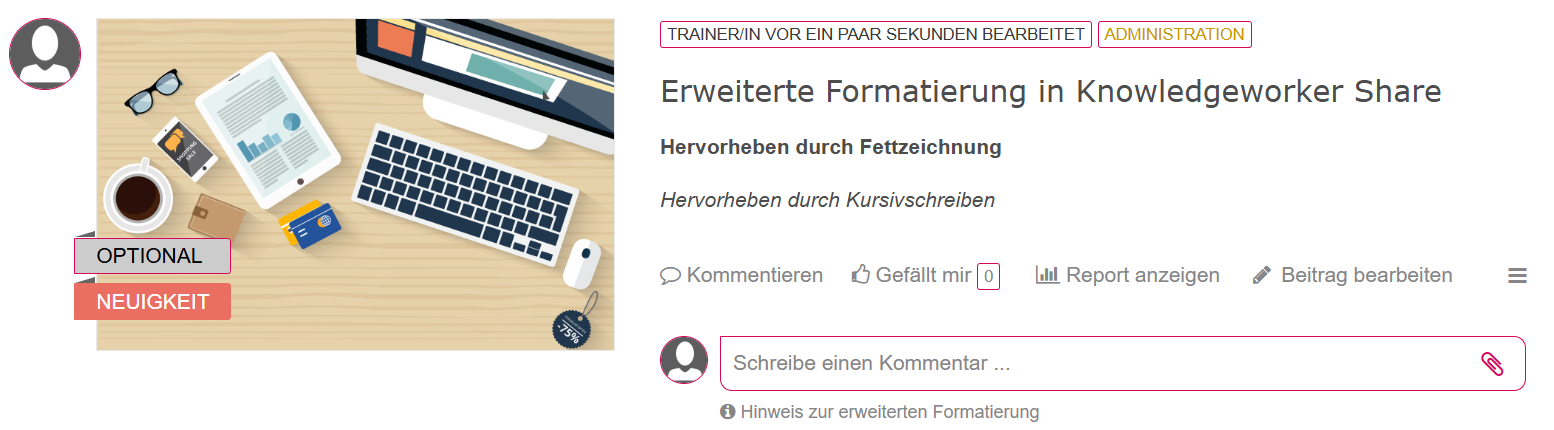
- Bold: Enclose text in two asterisks on each side (**bold text**).
- Italic: Enclose text in one asterisk on each side (*italic text*).
- Line breaks: Insert a blank line to create a line break in the text.
Lists
- Unordered: Prefix an item with *, +, or - to create an unordered list with bullets.
- Ordered: Prefix items with the corresponding numbers 1., 2., 3. to create a numbered list.
- Subitems: Indent text as a subitem by inserting four spaces before it.

Headings
Use headings to further structure post content.
- First-level heading: Prefix text with one hash character (# Heading 1). Alternatively, use several equal signs === on the line below.
- Second-level heading: Prefix text with two hash characters (## Heading 2). Alternatively, use several hyphens --- on the line below.
- Third-level heading: Prefix text with three hash characters (### Heading 3).
- Fourth-level heading: Prefix text with four hash characters (#### Heading 4).

Tables
Tables let you place content clearly next to one another.
Option 1: table with two or more columns
In a table with two or more columns, individual cells are separated by vertical bars |. The table header is marked by an additional row of hyphens - below it.
Heading 1 | Heading 2\n-------- | --------\nText 1.1 | Text 1.2\nText 2.1 | Text 2.2

Option 2: table with one left-aligned column
Individual cells are separated by vertical bars | on the left and right. The table header is marked by an additional row of hyphens - below it.
| Heading 1 |\n| -------- |\n| Text 1.1 |\n| Text 2.1 |

Option 3: table with one centered column
Individual cells are separated by vertical bars | on the left and right. The table header is marked by an additional row of hyphens - below it, enclosed by colons :.
| Heading 1 |\n| :------: |\n| Text 1.1 |

Horizontal rules
Horizontal lines help you separate and structure content further. When three or more asterisks *** or hyphens --- appear on a line by themselves, they are displayed as a horizontal rule.

Links
Use links to refer to websites, email addresses, video streams, and hashtags. Each link needs a title and a target.
- URL: [Title](http://link.com/)
- Email: Up to 32 characters: the address is linked automatically; alternatively: [Title](mailto:mail@example.com)
- Video stream: {Title}(http://example.com/video.m3u8)
- YouTube: {Title}(http://youtu.be/video-id)
- Hashtags: #term