
In this article, you will learn which metadata you can store for courses in Knowledgeworker Create and how to use it to manage courses.
What is metadata?
Metadata is information that describes data: e.g., the exposure time of a photo, the publication date of a book, or tags for a blog post. However, metadata is not part of the data itself.
In Knowledgeworker Create, metadata serves to facilitate the management, discovery, and customization of courses for different target audiences or purposes.
Using metadata for courses
In Knowledgeworker Create, two types of metadata can be stored for a course:
- General metadata: This refers to high-level information about the course or the learners, e.g., specific departments such as inpatient care vs. general medical practice.
- Metadata for the current language version: This is specific to the respective language version and can be used, for example, for standard texts in the user interface. This allows texts to be adapted, for instance, to the phrasing common in your company (e.g., "To pass this module…" instead of "To pass this course…").
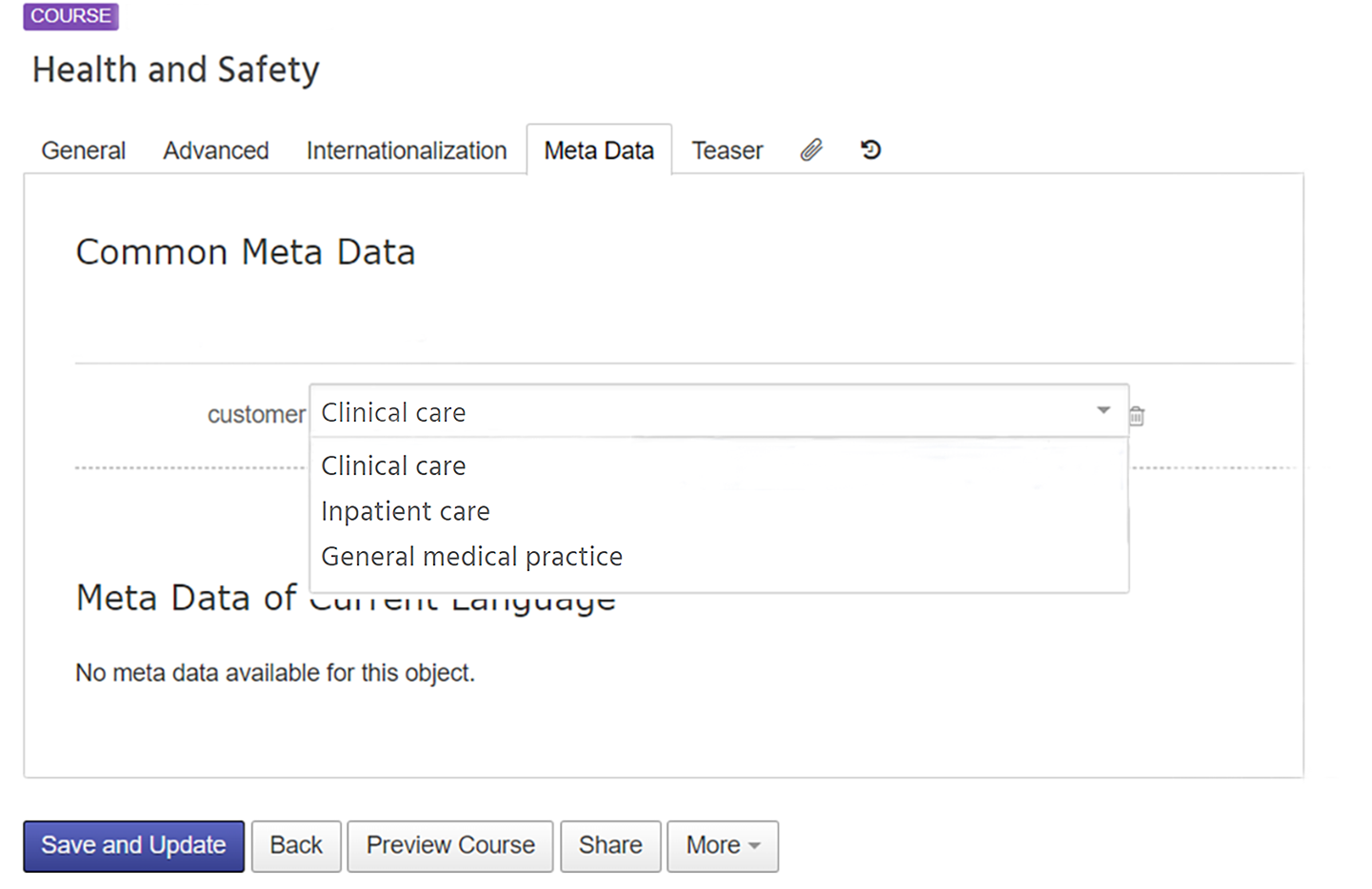
Functions of metadata
- Metadata can be used for organization and management, especially with a large number of courses.
- Within the course itself, it is possible to display metadata for learners in specific data fields.
- Metadata can also be linked to specific elements in the course to control the display and availability of content:
- Variant in conditional display
- Visibility of sections
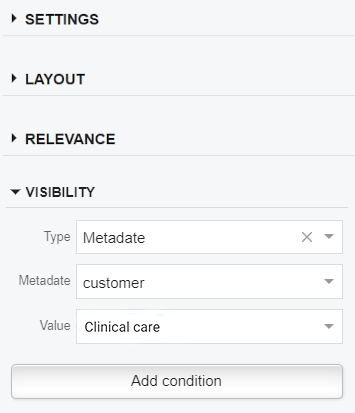
In this article, you will learn how the display of content can be controlled via specific data.
Example - Using metadata to adapt to different target audiences
Take a look at this example course to see how metadata and conditional displays are used to adapt content to two target audiences:
To demo content Professional Guest Services
Exporting content with metadata
Once the metadata has been stored as desired, content can be exported as usual. The metadata for a course is specified in the course settings on the Metadata tab. The exported content is displayed according to the configured metadata. Copies of a course are also possible, each with the appropriate metadata, e.g., a course on hygiene for hospital staff and for practice staff.
Metadata categories in Knowledgeworker Create
Metadata is defined as a category that can contain entries in specific values. The values can be, for example:
- Free text: for longer entries such as "created with content from Prof. Müller's lecture, summer semester 2025"
- Dropdown: predefined keywords to select from a list, e.g., "Hospital", "inpatient care", "medical practice"
- Date: e.g., the date of the last content update
- Number: e.g., year indicating the current status of the information in the course
Once the metadata is stored in the system, it is displayed in the course settings on the Metadata tab.
Metadata is configured individually for your specific use case. Please feel free to contact us with a request if you are planning to use metadata for your learning content or need advice on individual application options.